
Screenshots
About Lock Screen OS
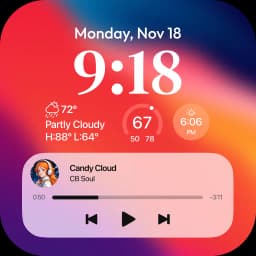
Lock Screen OS transforms your Android device with a customizable lock screen replacement that puts your favorite content and information front and center.
Reimaging your lock screen experience starts with full creative control. Personalize your lock screen with custom fonts, display widgets for at-a-glance information, and showcase your favorite photos as backdrops. Move beyond the standard Android lock screen and create a visual interface that reflects your style.
Switch between multiple lock screen designs instantly. Build different lock screens with unique wallpapers and styling, then toggle between them based on your mood or daily routine. Browse a gallery of wallpapers organized into themed collections, or pull from your own photo library for instant inspiration.
Stay informed without unlocking your device. View incoming notifications in expanded list view, compact stacked view, or keep them hidden entirely—you control how much information displays on your lock screen. Camera access while locked means you can capture moments instantly. Phone call notifications appear without requiring you to unlock, letting you answer or dismiss calls quickly.
Setup is straightforward. Grant the required permissions during initial installation: camera access for quick photo capture, phone state monitoring for call notifications, notification access to display alerts, storage permissions for wallpaper management, and accessibility services to enable the lock screen display. Once configured, you can set a custom passcode to secure your device and choose whether system notifications appear alongside your custom lock screen.
Lock Screen OS gives Android users a powerful alternative to the default lock screen, combining visual personalization with practical widget information and notification management. Download the app today and transform how you interact with your device the moment you wake it up.
Pros & Cons
Pros
- Customize lock screen with fonts, widgets, and personal photos
- Switch between multiple lock screen designs instantly
- View notifications and answer calls without unlocking device
- Quick camera access from lock screen to capture moments
Cons
- Requires camera, notification, storage, and accessibility permissions
- Custom passcode setup needed in addition to device lock
- Accessibility service access grants broad control over your device
- Notification display options may duplicate Android system notifications
Related Apps

Microsoft PowerToys
Windows utilities and productivity tools — enhance your workflow with system tools, window management, and file preview features.

Windows Essentials 2012
Email, messaging, photo editing, video creation, and cloud storage—Windows Essentials 2012 includes all the productivity tools you need.

Free Download Manager
Download manager that speeds up transfers, organizes files by type, and syncs with Firefox and Chrome.

HWiNFO
Hardware monitoring for Windows—track CPU temp, GPU load, fan speed, voltage in real time.

TransMac
Read Mac drives and DMG files on Windows. Access APFS/HFS+ storage and create disk images.

TestDisk & PhotoRec
Recover lost files and repair disk partitions — free open-source data recovery tool for Windows.
Latest Articles

Play a free Color Ball Sort Puzzle-style game in your browser (no download)
Oct 6, 2026

Play a free Beach Buggy Racing-style kart racer in your browser (no download)
Oct 6, 2026

Play a free Alto's Adventure-style game in your browser (no download)
Oct 6, 2026

Free online whiteboard like Jamboard: use Quickboard in your browser, no signup
Oct 6, 2026

Free online running pace calculator: splits, race predictor and daily challenge, no download
Oct 6, 2026